To-dos
AI visibility To-dos that come with the evidence attached
To-dos turn what CueScout found into specific work: fix this page, answer this question on your site, get listed on that roundup. Each To-do names the page it is about, the steps, why it matters and the evidence behind it, drawn from your site audit, the pages AI answers cite, community questions and Search Console when it is connected.
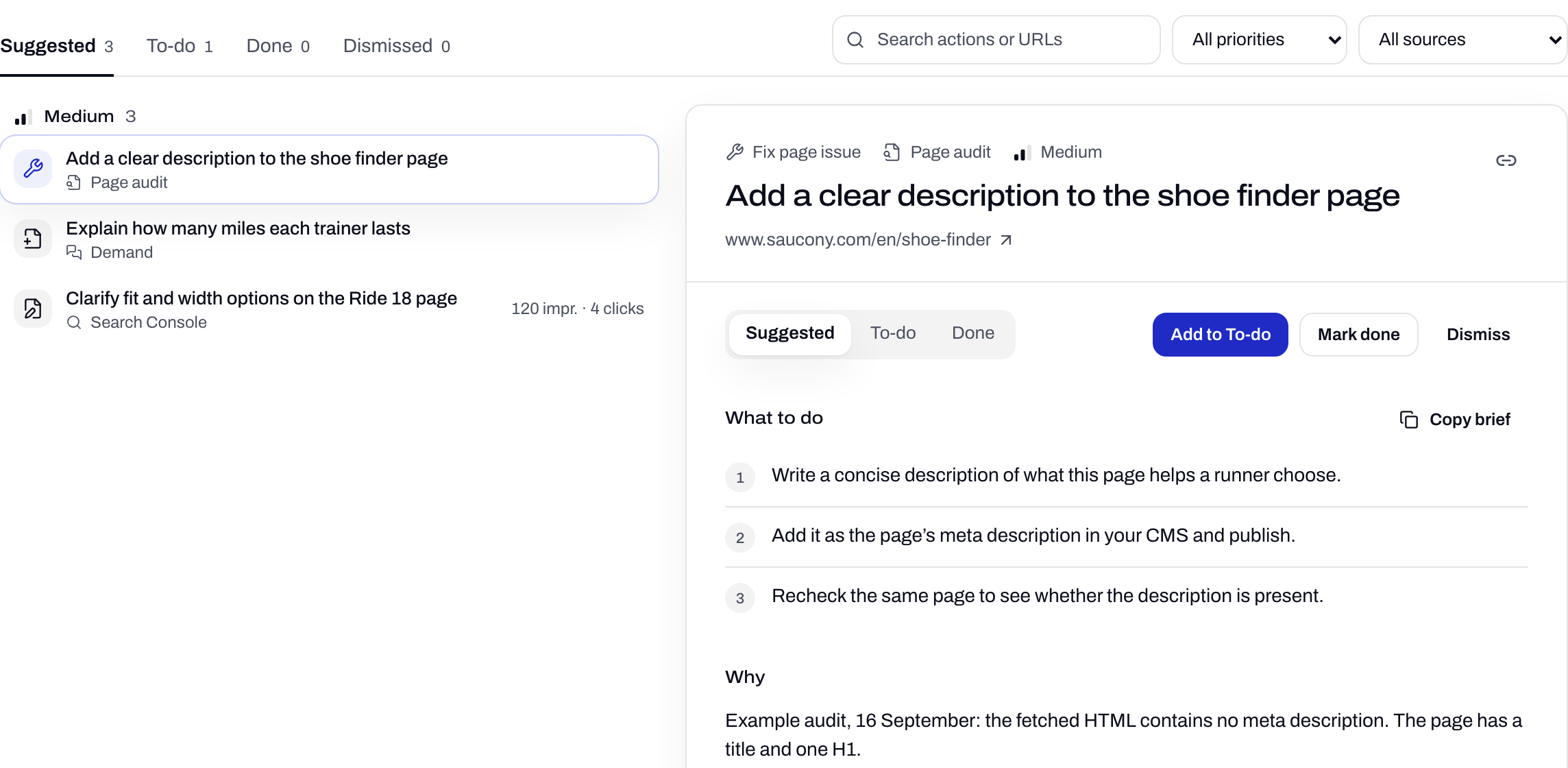
- 1Where each task came from
- 2Steps you can hand to a writer
- 4
- states: Suggested, To-do, Done, Dismissed
- 4
- sources: site audit, cited pages, community questions, Search Console
- 1 click
- from any cited page or failing check
What every To-do carries
The brief
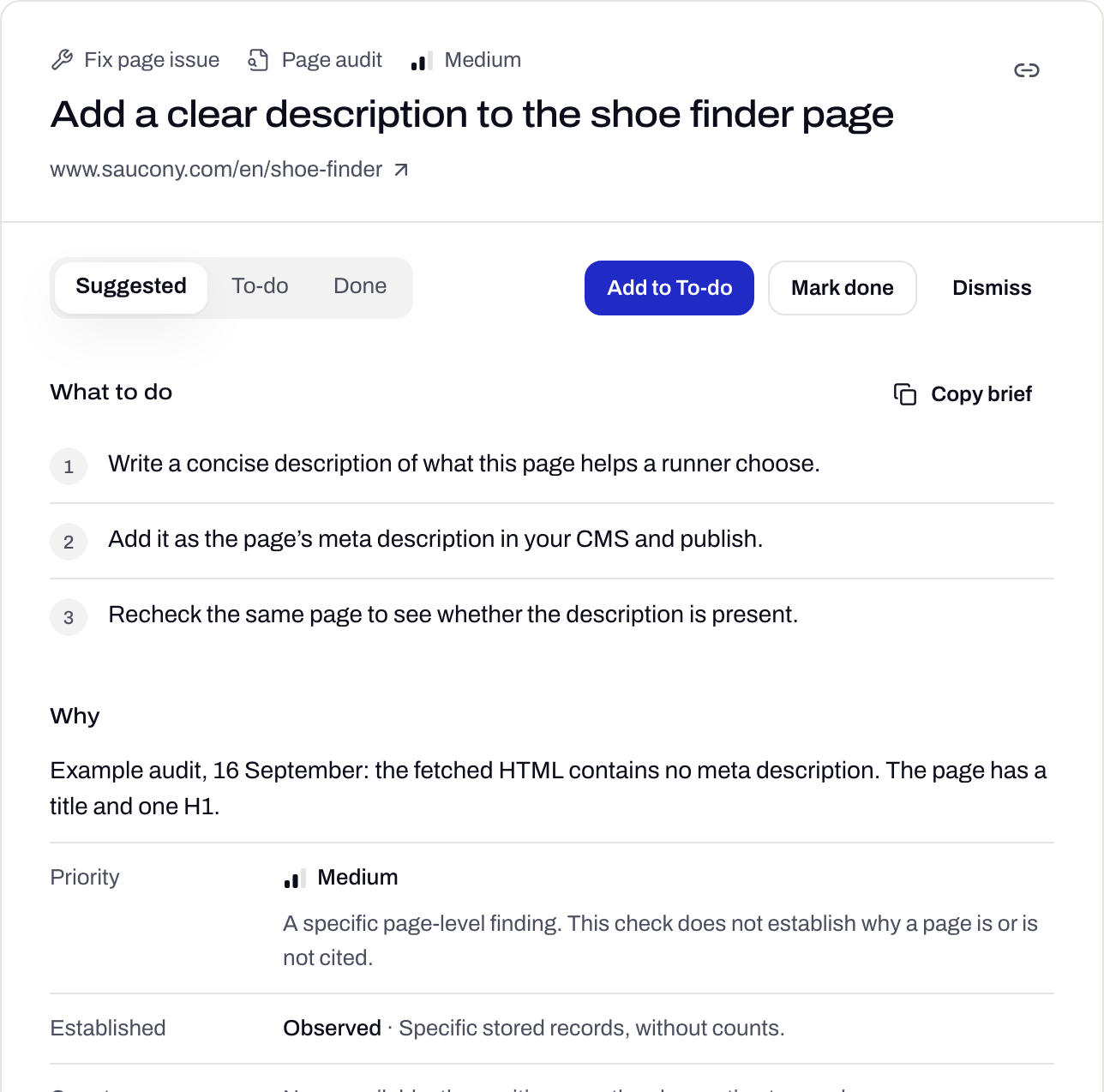
What to do, and why
Steps you tick off, the evidence with the date it was observed, and a recheck that confirms the fix landed. Copy brief puts the lot on your clipboard.
States
Your decisions stick
Refreshing the sources updates the evidence without reopening work you finished or dismissed.
- Suggested
- To-do
- Done
- Dismissed
Done is not cited
Finishing a task and getting cited are kept apart
You mark work done, with an optional note and the URL you shipped. Audit tasks can be rechecked on the same page. Whether the AI answers change is measured separately, in the next daily runs, where it belongs.
Collect the findings
Failing audit checks, cited pages you could win, community questions you have no page for, and Search Console queries with impressions but few clicks.
Turn each into one task
A task names one page or one question and one change. Unknown measurements stay unknown instead of being guessed.
You choose the work
Accept a suggestion into To-do, dismiss it, or add one straight from Sources or Site audit.
Check again
Mark it done, recheck supported audit tasks, and watch the answers in the next daily runs.
Where it sits
Step 3 of the loop
- CheckAsk the engines your buyers’ questions
- Find the sourceSee which pages the answer came from
- Do the workShip the To-do with its evidence
- Check againSee whether the answer moved
What it doesn’t do
- Content and listing work needs a person. Nothing here guarantees a citation.
- Search Console tasks need a connected property with enough data to say anything.
- CueScout does not publish. You make the changes in your own CMS and tools.
Questions
Does CueScout write or publish the content?
No. To-dos give you the evidence and the steps. You decide how to make the change and publish it yourself.
What does Done mean?
That you finished the work. A passing recheck means the audit check now passes. Neither one guarantees a citation, which is measured separately in the next daily runs.
How many To-dos will I get?
As many as the evidence supports. An empty queue is a valid result when the sources show nothing new to do.
What happened to the Writing Plan?
It was replaced by To-dos. Saved drafts stay in a read-only archive with export.
Related features
All featuresSee what the AI answers say about you
Your first check is free, with no signup to start.