Multi-brand workspace
The AI visibility tool for agencies and multi-brand teams
Agencies and multi-brand teams can track up to 10 brands in one CueScout account on Growth, or 2 on Starter. Each brand gets its own prompts, competitors, cited pages, To-dos and report, while the prompt allowance is shared across them, so a busy client can use more of it than a quiet one. Switch brands from the header without logging out.
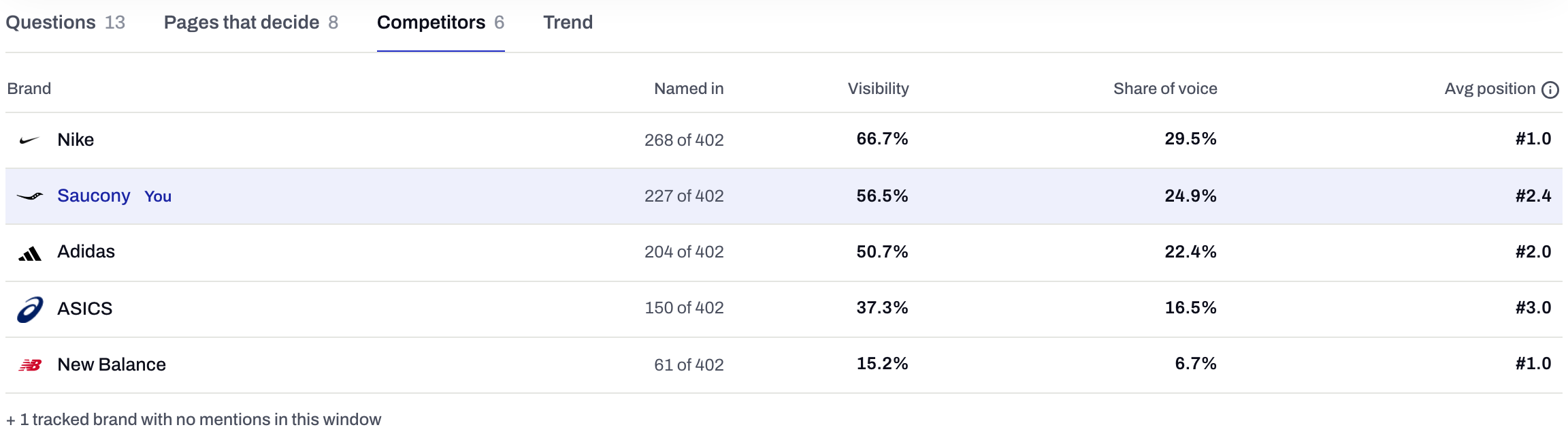
- 1Each brand keeps its own rivals
- 10
- brands on Growth
- 2
- brands on Starter
- 100
- prompts on Growth, shared across brands
- 10
- prompts reserved for each brand at minimum
What each brand keeps to itself
Separate
Nothing leaks between brands
A competitor tracked for one brand never appears in another's ranking, and each brand's To-dos come only from its own questions and pages.
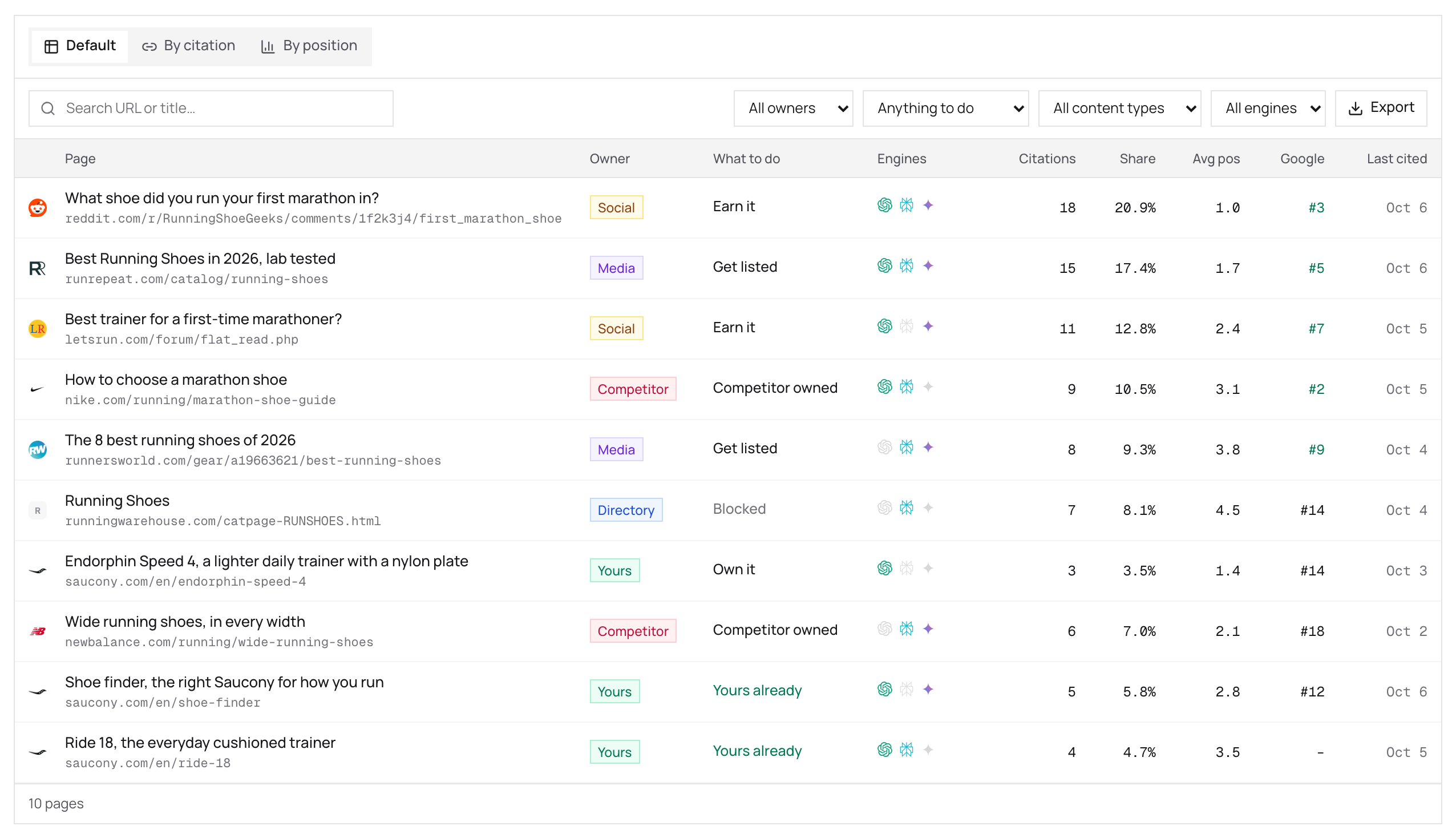
Per brand
Everything is scoped to one brand
Switching brands switches every screen.
- Prompts and competitors
- Answers and cited pages
- Site audit
- To-dos
- Report and share links
Deliverable
A report per brand you can send
Each brand has its own report and share links, openable without an account. For an agency that is the monthly deliverable; for an in-house team it is the update to the people who never log in.
How it works
Starter covers up to 2 brands and 20 prompts. Growth covers up to 10 brands and 100 prompts. More is a quote by email.
Compare plansAdd a brand
From the brand switcher. Hitting your plan's cap shows your own numbers and the next step instead of an error.
Give it prompts and rivals
Each brand needs at least 10 prompts from the shared allowance. The rest can be spread however the work needs.
Let the checks run
Every brand is tracked daily on the engines your plan covers.
Report per brand
Open each brand's report and share it with whoever needs it. To read the same data from an AI client instead, see the MCP server page.
Where it sits
Step 4 of the loop
- CheckAsk the engines your buyers’ questions
- Find the sourceSee which pages the answer came from
- Do the workShip the To-do with its evidence
- Check againSee whether the answer moved
What it doesn’t do
- No white-labelling. Reports are branded CueScout.
- Brands share one prompt allowance. A brand with many prompts leaves fewer for the rest.
- More than 10 brands, or more than 100 prompts, is a quote by email.
Questions
How many brands can I track?
Up to 2 on Starter and 10 on Growth. More than that is a quote by email, with no sales call.
Do the brands share prompts?
They share the plan's allowance (20 on Starter, 100 on Growth). Each brand needs at least 10, and you decide how the rest are split.
Can clients see their own data?
Through the report share link, which opens without an account and expires after 30 days.
Can I white-label CueScout?
No. Reports and links are branded CueScout.
Related features
All featuresSee what the AI answers say about you
Your first check is free, with no signup to start.